

My wireless worked yesterday, but it won't connect today, why?
This issue usually occurs after you have changed your NCC password. Please remember to update your password on any device where you have saved your password in a wireless profile.
How do I update my password in my wireless profile?
-
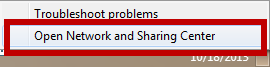
Right click on the wireless bars in the bottom right hand corner of the desktop. Select Network and Sharing Center.
-
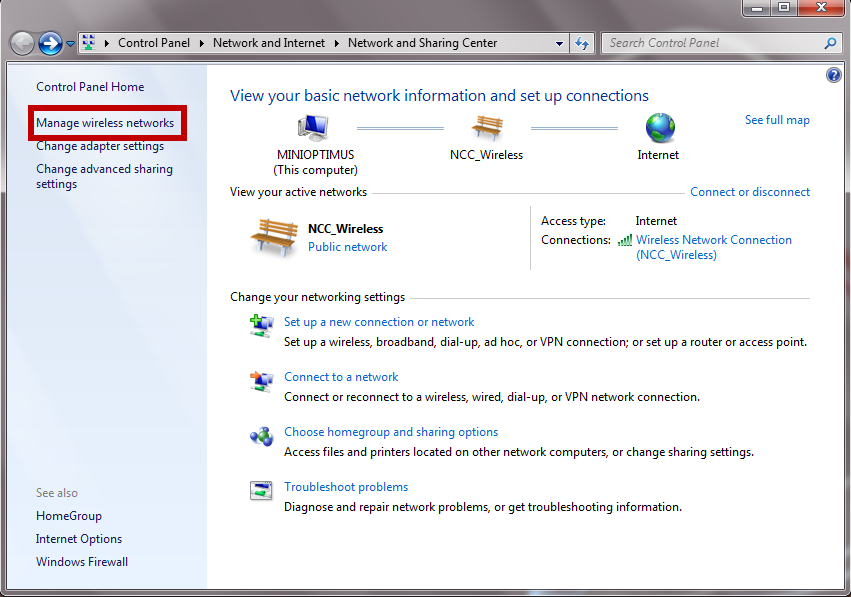
Select Manage wireless networks.
-
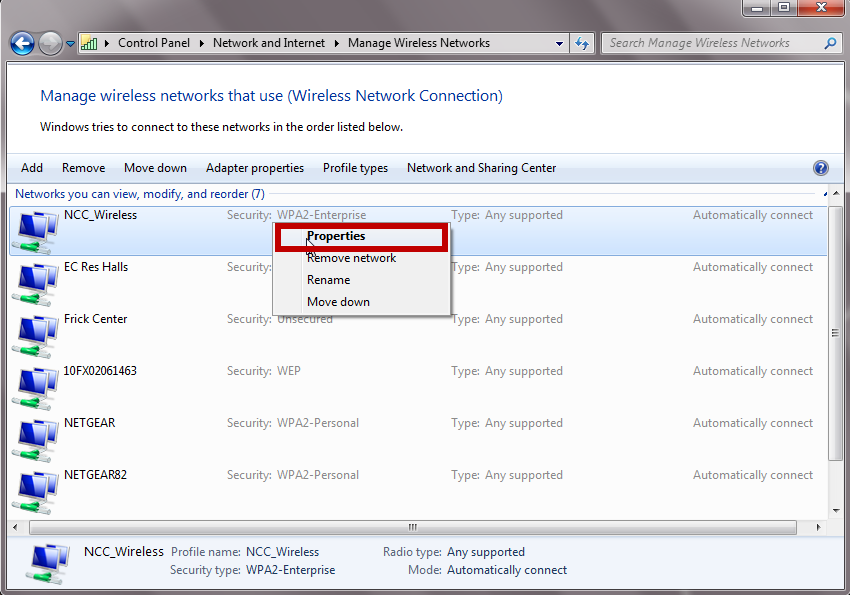
Right click on NCC_Wireless and select Properties
-
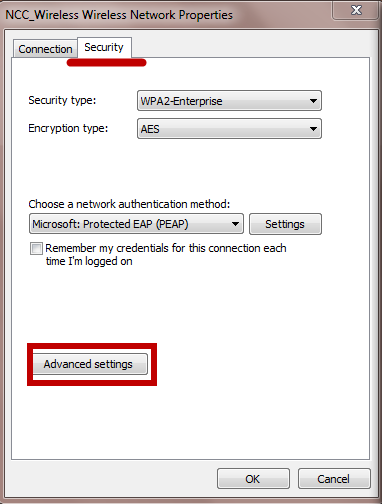
On the Security Tab and select Advanced settings.
-
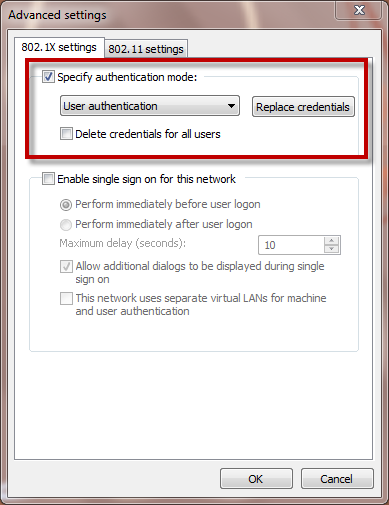
Select Replace credentials under Authentication mode
-
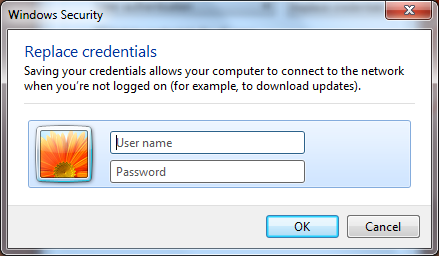
Type in your NCC username and new password. Click Ok.
Why am I unable to connect to wireless?
You may not have configured your device to connect to NCC_Wireless. Please visit the Wireless Configuration page to view instructions for your specific device.
If you have followed the instructions on how to connect your device to NCC_Wireless and you still cannot connect, your password may be expired. Please reset it using the password reset link on the front page of the ITS website
Can I connect my wireless printer to the NCC_Wireless network?
ITS is unaware of any printers that currently work with our wireless network. Most home printers are not designed to work on a wireless network that uses enterprise grade security.
What devices are supported on the NCC_Wireless network?
North Central College's wireless supports the following operating systems:
- Windows 10
- Windows 8
- MacOS 10.12x
- Chrome OS
- Android
- Apple iOS
Instructions for how to connect your specific device are located here
Does my wireless connection replace my wired connection?
The NCC wireless network is designed to supplement the already existing wired network, not as its replacement. Listed below are a few reasons you should not completely abandon your wired connection.
-
Speed - The wired network will always be faster than the wireless network. With wireless, you are sharing bandwidth with the other wireless users in your area. Unlike wireless, your wired connection provides a single dedicated line to your computer, thus resulting in a faster connection
- Reliability - The wired network will almost always be more reliable than a wireless network. Unlike a wired connection, a wireless signal is vulnerable to to a variety of interference from your surrounding environment such as brick walls, microwave ovens, cordless phones, Bluetooth devices and more
Can I use my game system on NCC's wireless?
At the current time, most of the game systems are not compatible with NCC's wireless network. Please connect these devices to the NCC wired network.
I cannot connect to NCC_Wireless on my Mac because I have a self-assigned IP address.
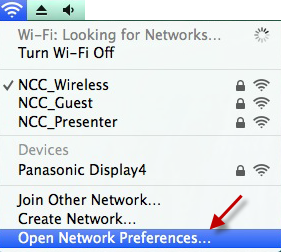
1. Click on the AirPort icon at the top of your screen and select Open Network Preferences
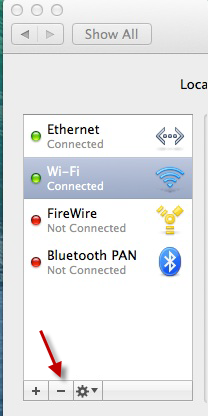
2. In the column on the left, select Wi-Fi and click the (-) button.
3. Click Apply. Note: This will delete the settings for all wireless networks you have configure
4. Go back to the column on the left and click the (+) button
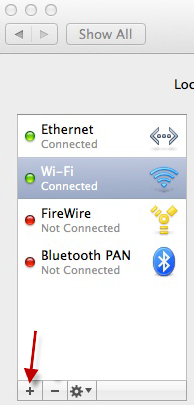
5. Select the following:
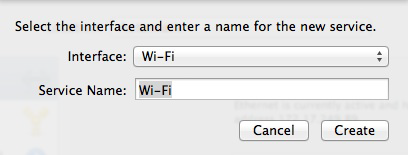
6. Click Create. Wi-Fi will reappear in the column on the left.
7. On the Network screen, click Apply.
8. Try re-connecting to NCC_Wireless
How to change password for Wireless on Windows 10
To forget the network in Windows 10
-
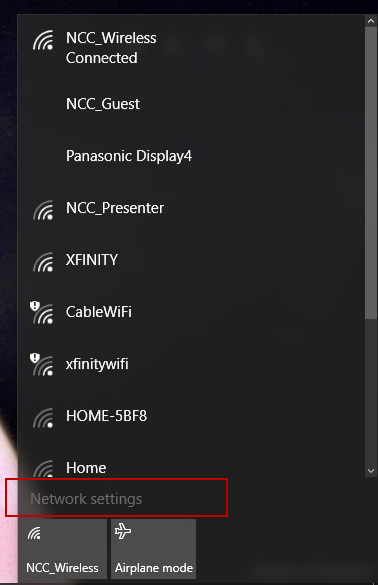
Click on the Wireless icon in the bottom right corner of your screen and select Network Settings.
-
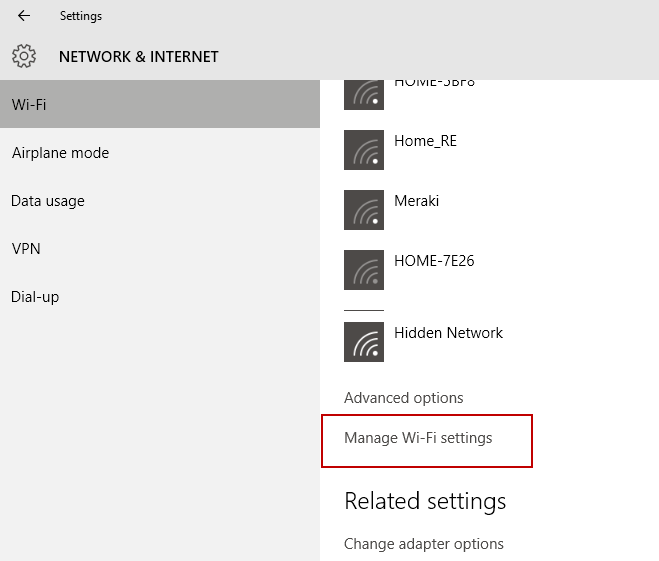
On the Network and Internet window that appears, scroll down and then select Manage Wi-Fi Settings.
-
Scroll down under you see the list of wireless networks. Click on NCC_Wireless and select Forget.
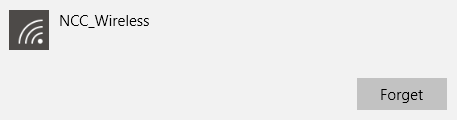
- You will then need to configure the network again by following the instructions on the wireless page.